
Maintenance
Tag Charging

Tag batteries last up to 5 days, rechargeable via USB-micro cable - we recommend recharging after three days of usage. Please turn the Tag off prior to charging.
There is a charging indication light which is illuminated red. when charging is complete, the light goes out.
NOTE: The outer rubber cover provides an additional layer of physical protection to the tag. This should not be removed during use; and should be refitted before use, if removed during charging.
Sensor Battery Replacement
Sensor Batteries are expected to last up to 6 months.
Check Battery Level: To check battery level, either scan the QR code on the Sensor or the associated Base. This information is also available on the desktop portal.
We recommend replacing the batteries at less than 30%.
Purchase: Battery replacements can be purchased via the Zonr Shop
Step 1: Open Sensor battery port by twisting the cap at the bottom of the Sensor
Step 2: Remove old battery and discard according to local compliance
Step 4: Insert new battery
The positive pole of the battery is inserted into the sensor tube. The negative pole should be at the ‘cap’ end.
Note: Replacement batteries have markings to indicate which is the positive and negative end.

Step 5: Return the cap, press down and twist to secure
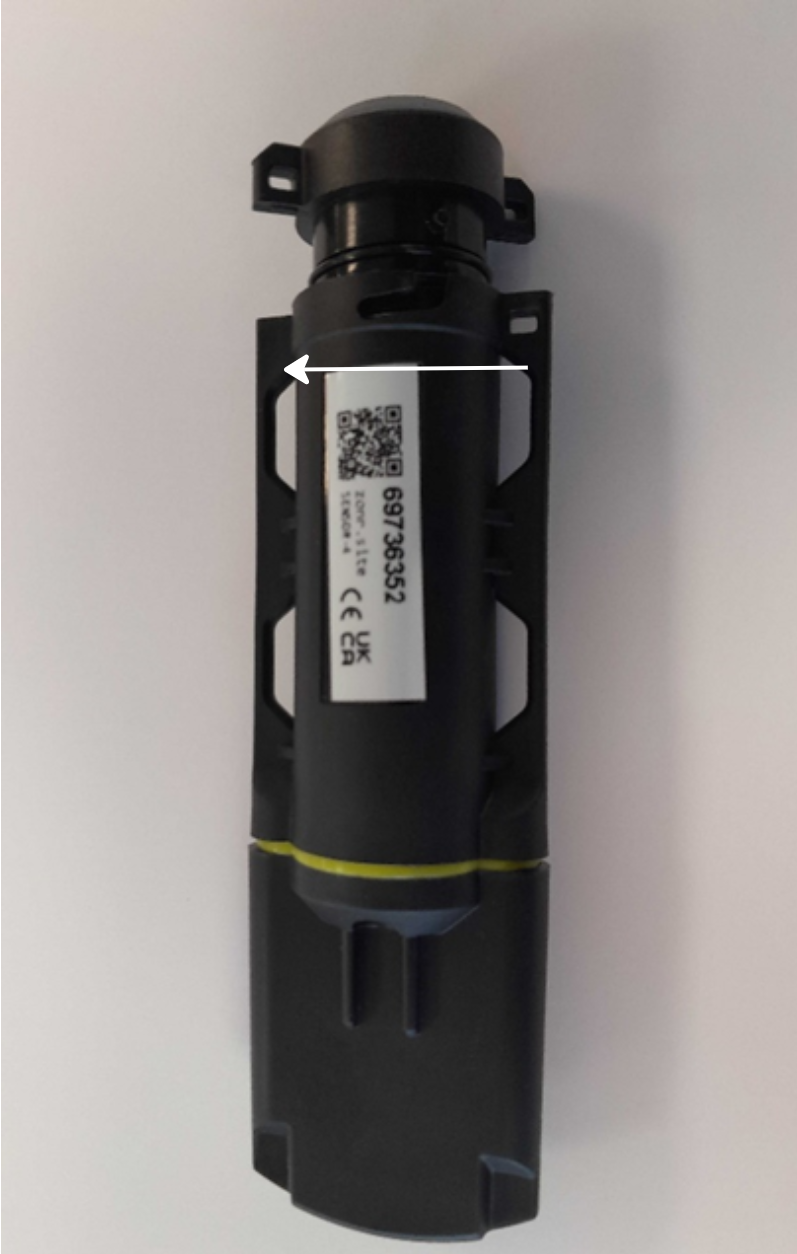
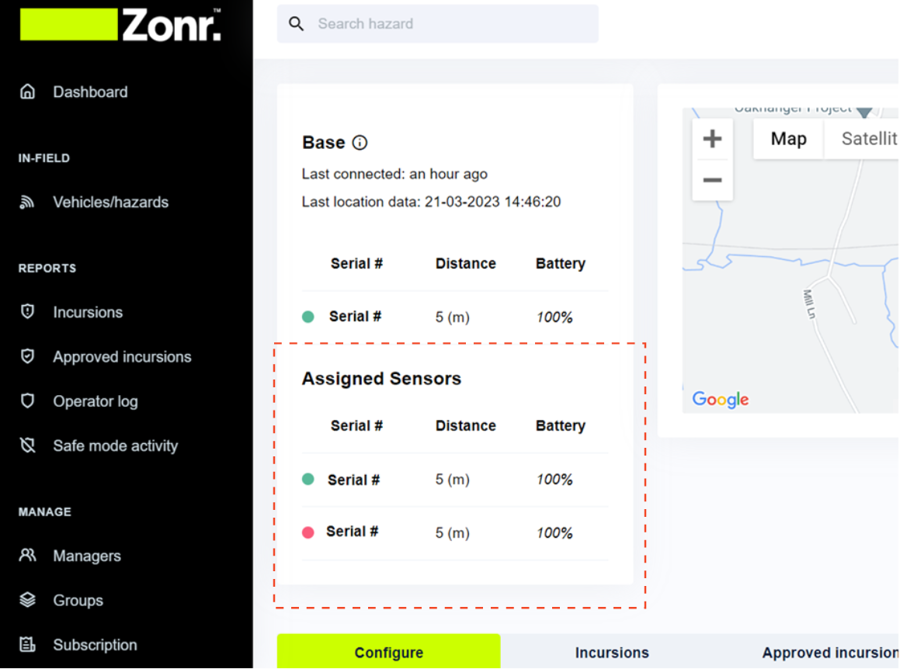
Ensure the sensor is within signal distance on it's paired base (within 20m)
Update the Base by selecting the Base 'update' function
Navigate to the related hazard
Review sensor status the hazard main page
Step 7: Return the sensor to it’s position on the hazard
Base Charging
Your Base should always be powered by 12/24v supply when in use. There is a battery supply as a short term back up should power supply be interrupted.
NOTE: Should your Base remain off for a prolonged period, it may have no charge and require recharging before use.
The battery level of the Base is visible on the left of its LED screen when powered on, and on the web portal on the 'Vehicles/hazards' page.
NOTE: The outer rubber cover provides an additional layer of physical protection for the Base. This should not be removed during use or charging, at any time.
Last updated